






Features
Everything you need to show up online. Nothing you don't.
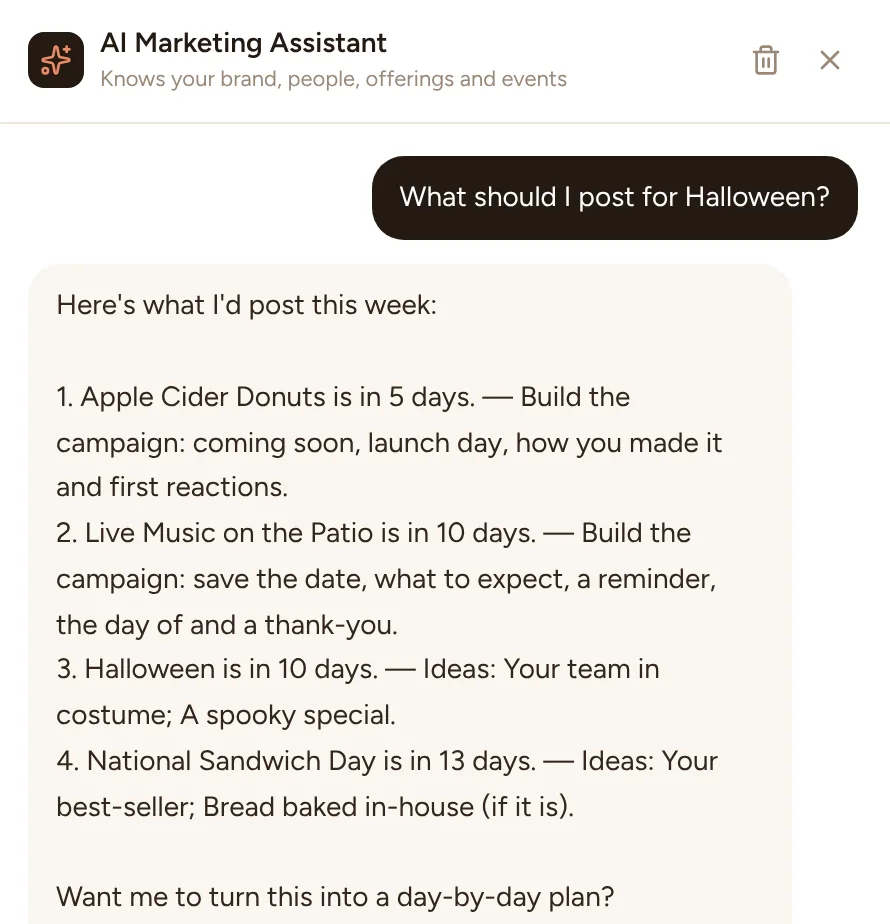
Townlight isn't a social media dashboard with a hundred buttons. It's one helper that knows your business, writes what you'd write if you had the time, keeps your Google listing fresh, asks your customers for reviews and keeps the calendar full.
Today & Plan my week
Know what to post before you've finished your coffee.
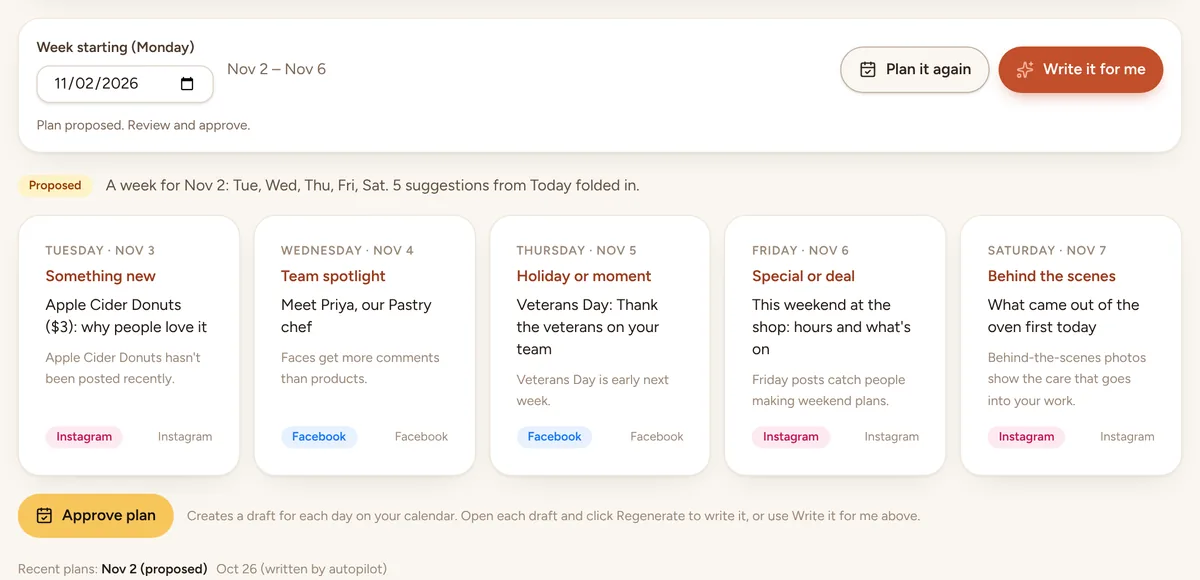
Today greets you with one clear “Next up” idea and your week at a glance. Plan my week fills the next seven days in one go.
- Next up ideas from what's going on: an event with no posts yet, a holiday coming up, photos you haven't used, a team member who hasn't been featured, something new or seasonal, a review worth sharing
- A seven-day strip with scheduled posts, events and holidays
- Ideas for slow days, made for your kind of business
- Plan my week: a product, a person, the event or holiday or a review, a weekend post and a behind-the-scenes or tip post, approved onto the calendar in one click
Autopilot
Next week, written every Friday.
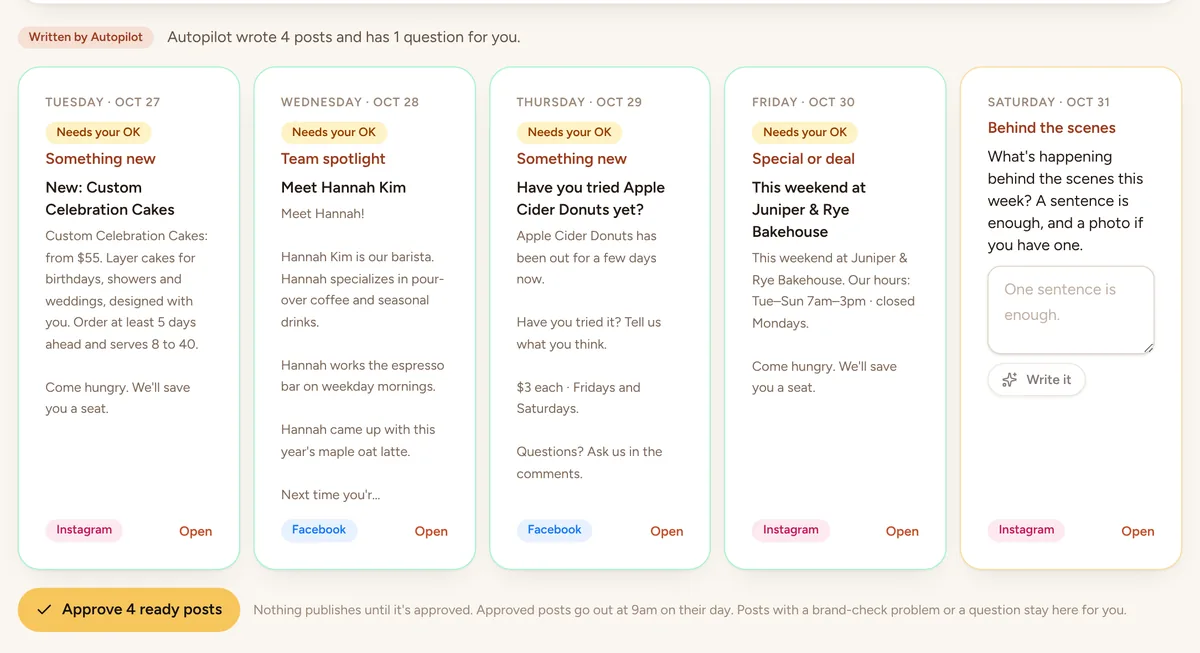
Turn on Autopilot and Townlight plans and writes next week's posts every Friday morning, then emails you to look them over. You stay the one who says yes.
- Five posts from your records: a product, a person, the event or holiday coming up, the weekend, and a look behind the scenes or a tip
- A holiday is only mentioned while it's still ahead, worded for the day the post goes out
- Posts that need something only you know, like a review to share, ask you a one-line question instead of guessing
- One tap approves the ready posts onto the calendar, at 9 am on each day
- Posts with a brand-check problem or an open question wait for you
- On every plan; the posts it writes count toward your plan's posts for the month
Writing
A sentence in. Five good posts out.
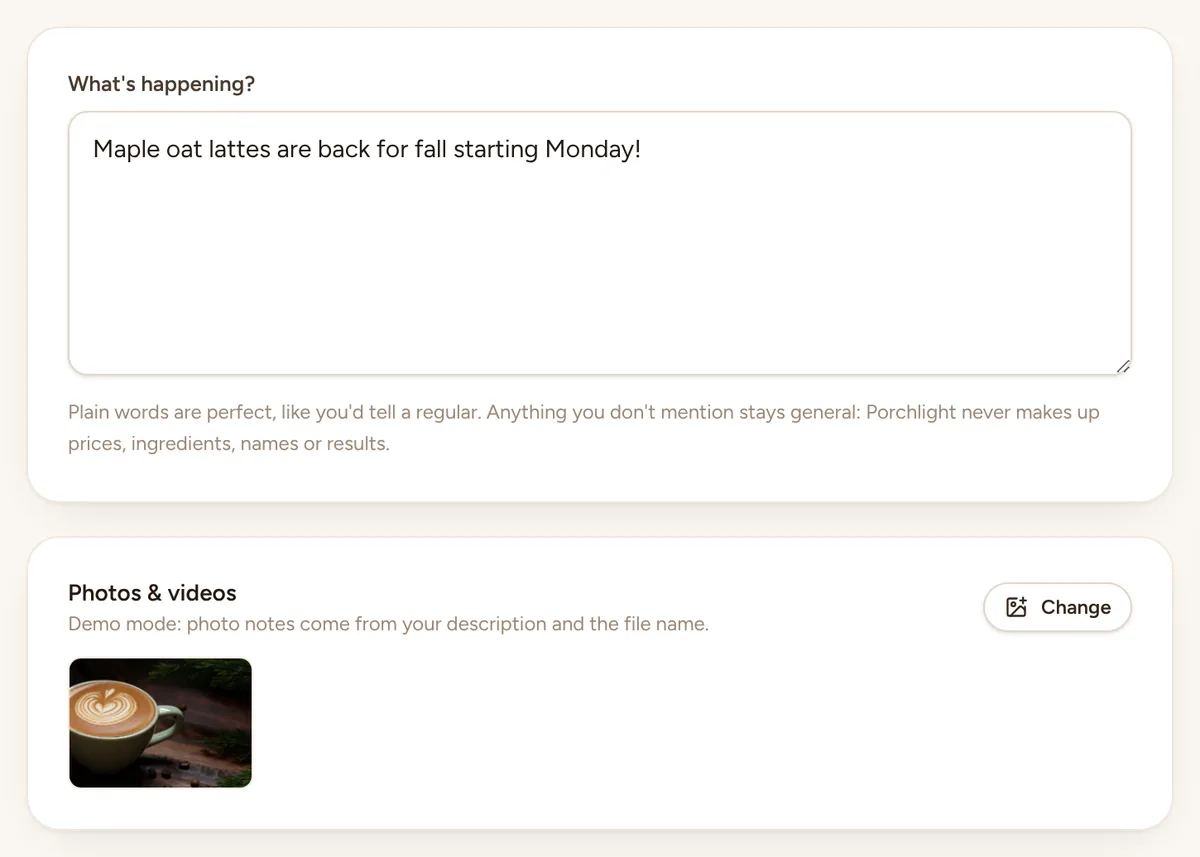
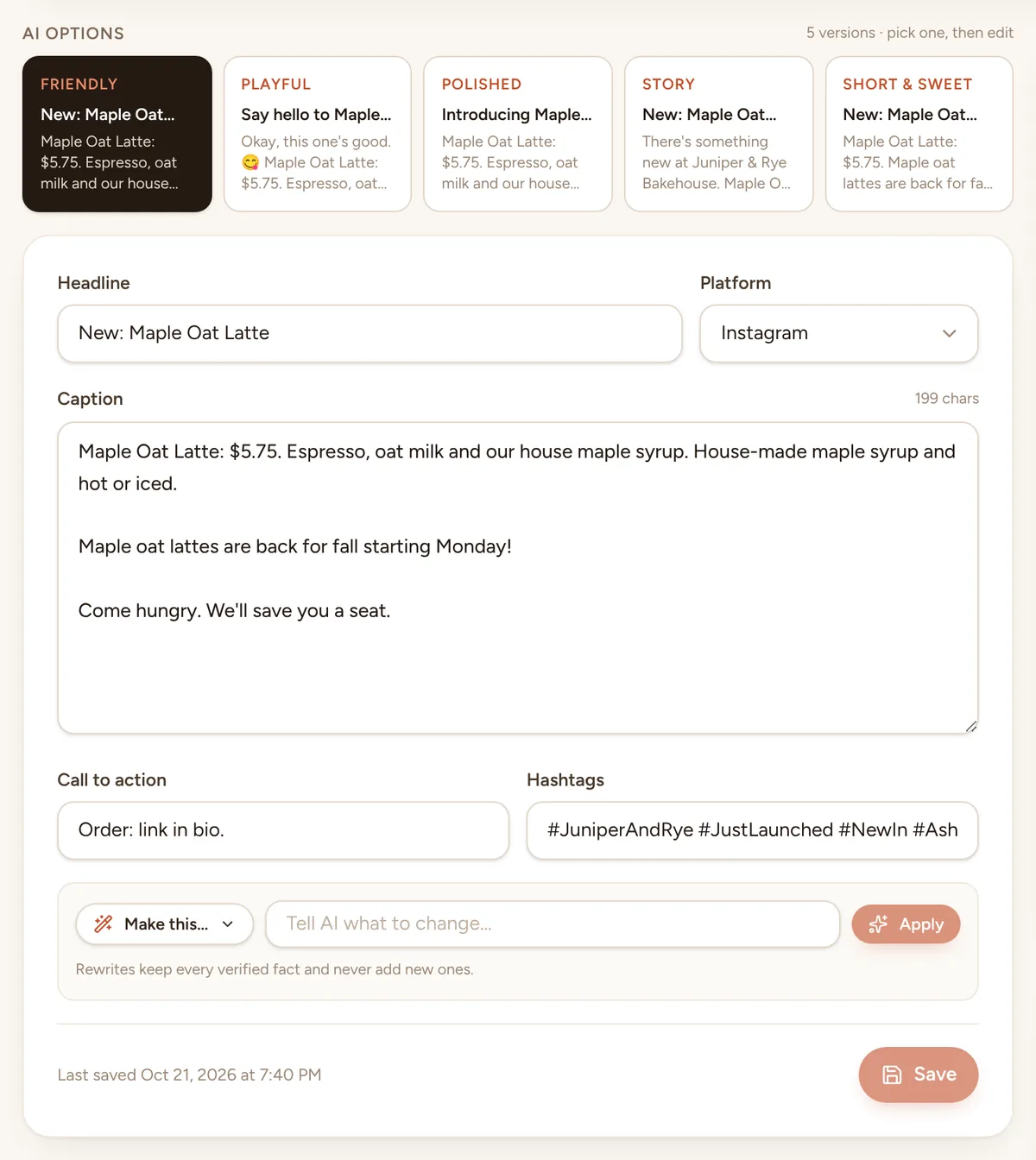
Say what's happening, add a photo if you like, and pick a post type. Townlight writes five versions with a caption, a call to action and hashtags, then lets you nudge it until it sounds right.
13 kinds of posts
Five versions, every time
“Make this…”
Never made up
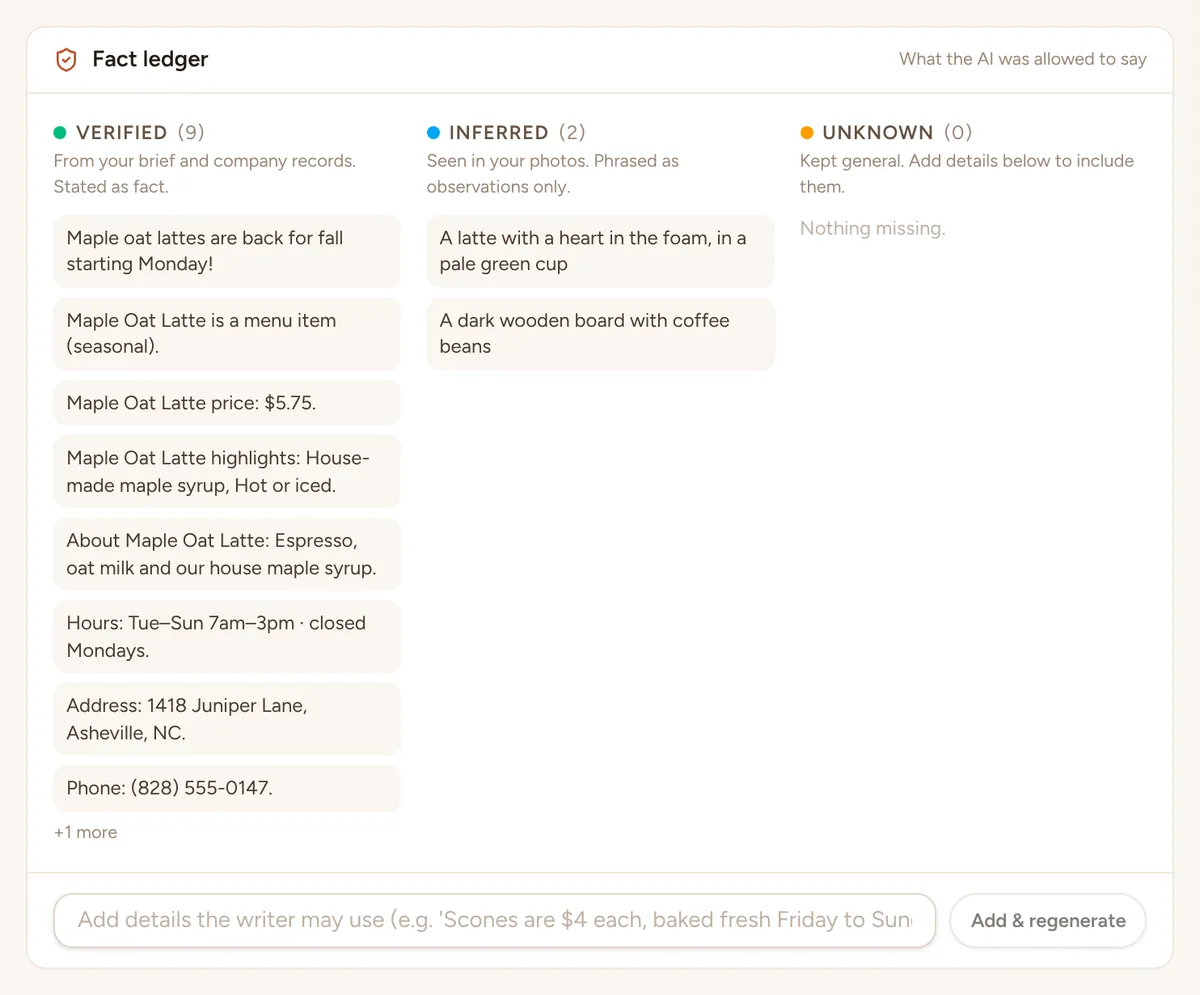
Your real prices, your real people, your real reviews.
Posts are built from what you typed and your own records. If Townlight doesn't know something, it keeps that part general instead of guessing.
- Business profile with hours, address and booking link
- Products & services with prices and highlights
- Team profiles with roles, specialties and fun facts
- Customer love posts quote a review word for word
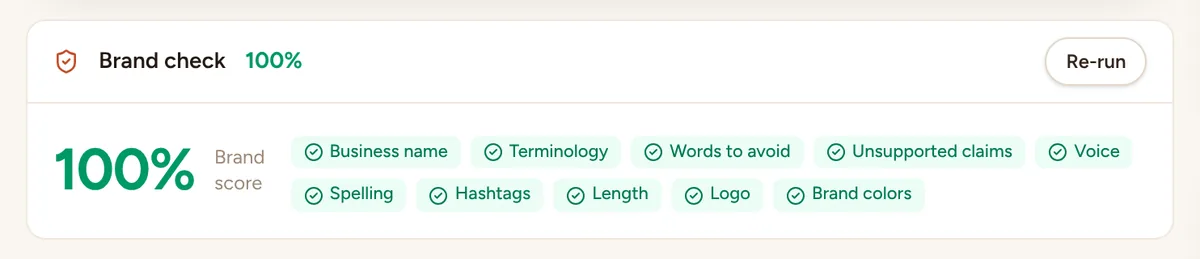
- A brand check on every post: voice, words to avoid, hashtags, length, logo, business name, and numbers or claims your records don't support
- Some problems fixed for you automatically
Screenshots of the app, with a made-up bakery
Campaigns & holidays
The big moments, planned for you.
Campaigns
An event, a promotion, a launch or a two-week hiring push. Every post is written and dated at 9 am on its day, plus video and Reel ideas, a story sequence and an email to your list.
See the campaign builderHolidays & moments
57 holidays, observances and seasons, suggested about three weeks ahead and filtered to your kind of business. One click turns one into a special.
- Mother's Day
- Small Business Saturday
- Halloween
- First day of spring
- National Coffee Day
- Teacher Appreciation Week
- Back-to-school season
- Giving Tuesday
Designs
Your look, laid out a new way each time.
Pick one of six looks, or describe your own style (or show it a few posts you like) and Townlight makes a look just for you. Every post is set in your logo, colors and fonts, with a layout that changes from one post to the next, so your feed looks designed rather than stamped from one template. Want something different on a post? Say it in your own words.
One post, six looks
Warm
A soft serif, handwritten notes and cream paper. Homemade and neighborly.
Clean
A modern sans, plenty of white space and the photo up front. Calm and current.
Bold
Tall, loud capitals and big blocks of color. Made to stop the scroll.
Editorial
A classic magazine serif with fine rules and cover lines. Confident and considered.
Playful
Round, friendly letters, stickers and bright color. Fun without trying too hard.
Elegant
A fine serif, wide-spaced capitals and quiet color. Polished and unhurried.

Every kind of post
New Arrival
Something new on the shelf or the menu, with its price.
Special Offer
A sale or a deal, and the dates it runs.
Photo Story
A moment from your day, behind the counter or out on a job.
Team Spotlight
Someone on your team, their role and a line about them.
Review
A customer's words, exactly as they wrote them.
Before & After
Two photos that show the difference you make.
Tip Card
A helpful tip from what you know best.
Event
What's on, when and where.
Announcement
News: new hours, a holiday, a milestone.
Hiring
A job opening, the role and how to apply.
Community
A thank-you to your neighbors or a local shout-out.
Any shape
Landscape and portrait from the same post.
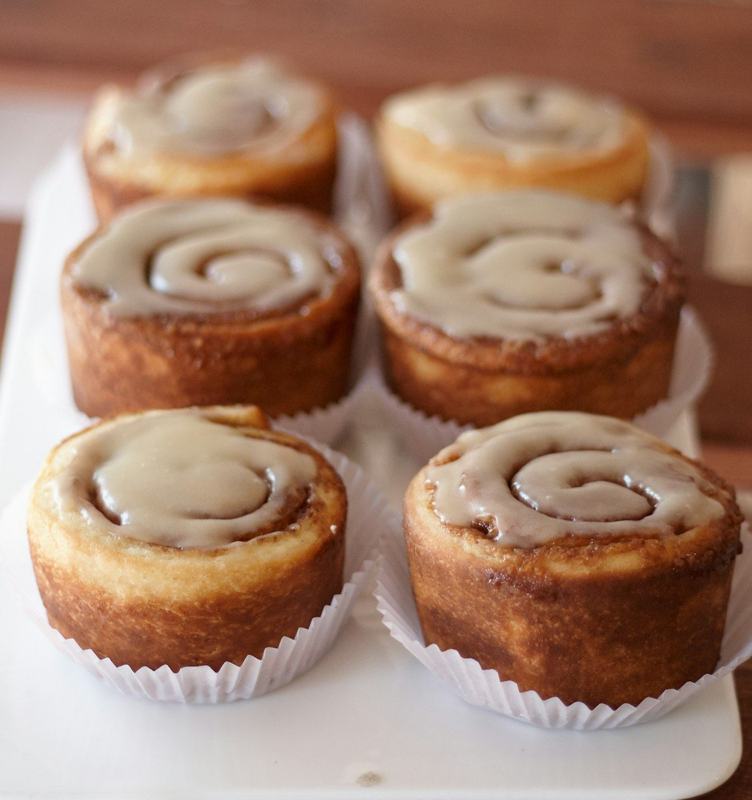
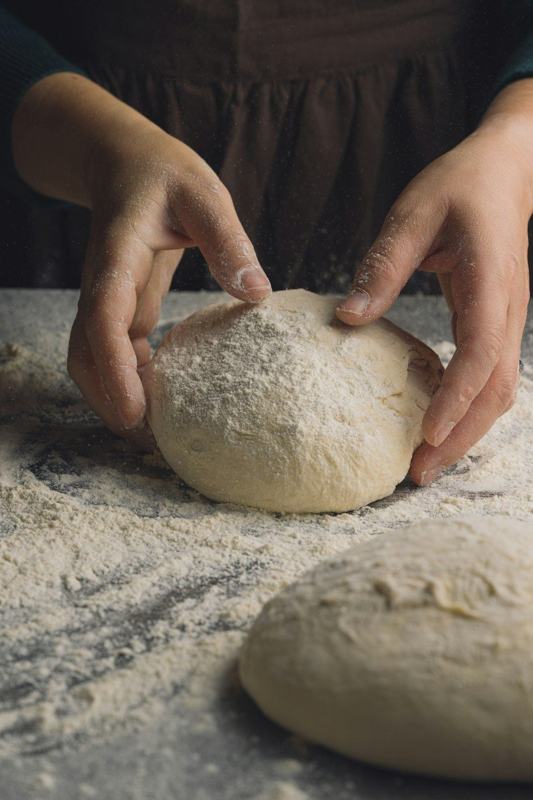


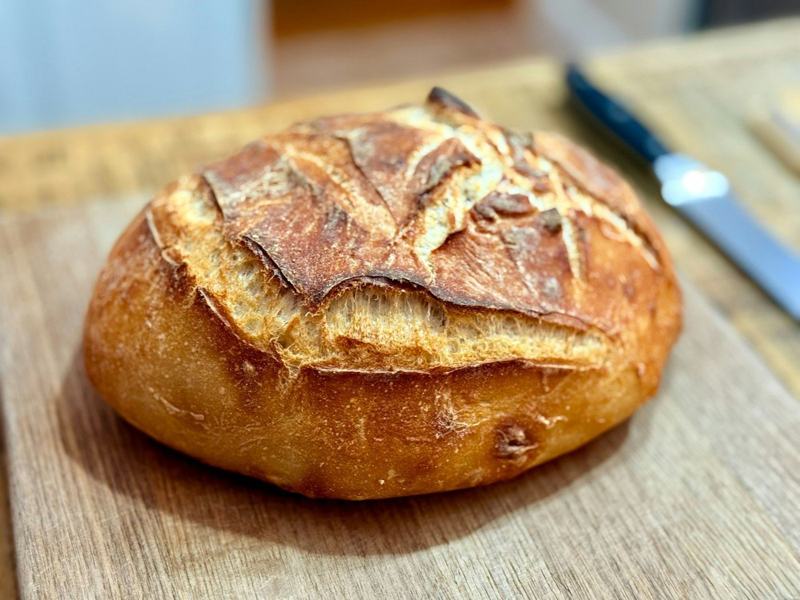



Real post designs, made-up bakery. The review shown is an example.
Calendar & publishing
Approve it once. Post it in a minute.
A calendar you can drag
Approvals that fit a small team
Ready when it's time
Photo library
Insights and a health score
More than one business
Google & reviews
Get found on Google, and get picked.
Your Google listing and your reviews are often the first things a nearby customer sees. Townlight posts to one and helps you earn the other.
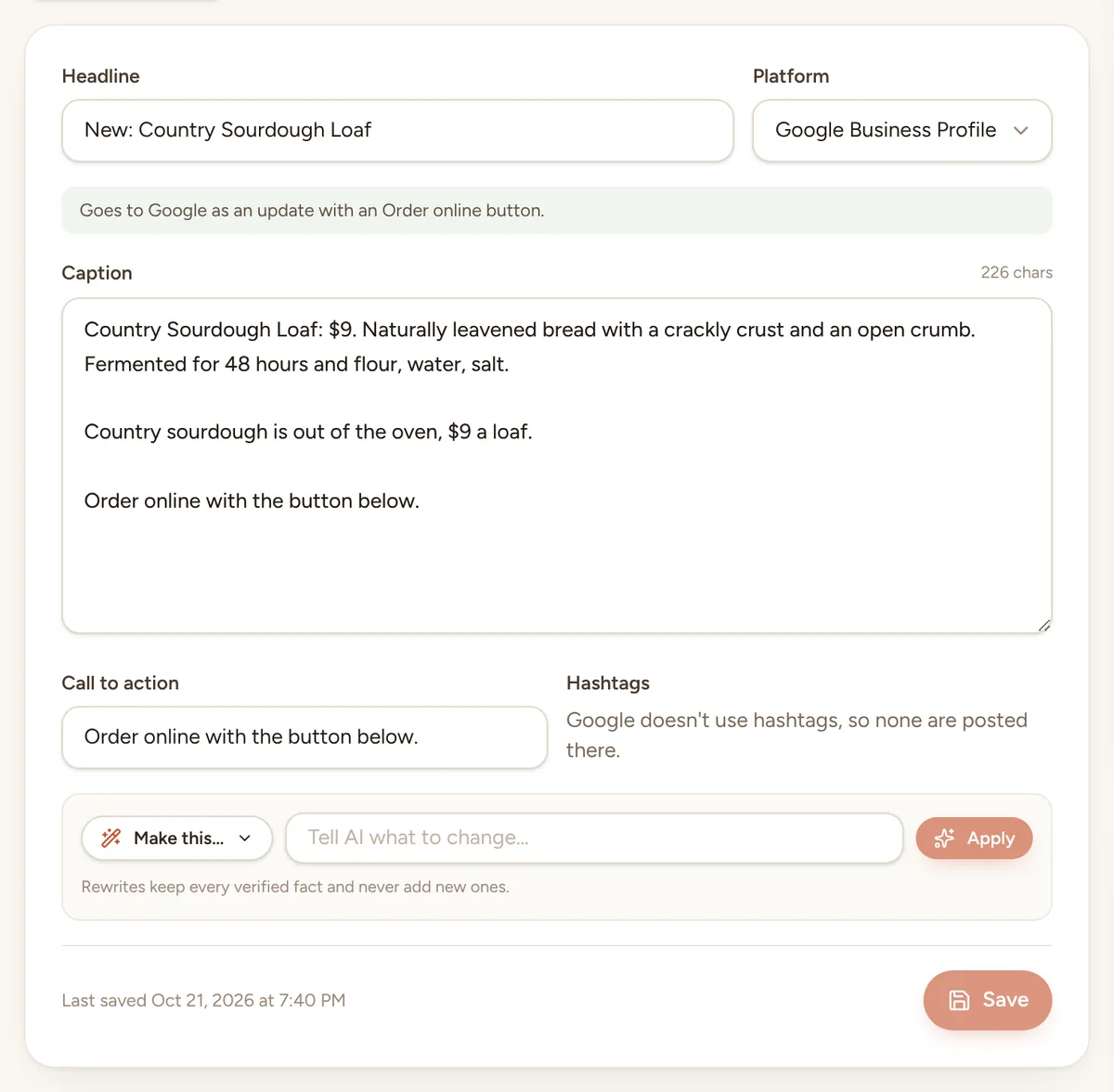
Google Business Profile
- Written the way Google wants, ready to paste into your profile
- It tells you whether to post an offer, an event or an update, with which dates
- A Book or Order online button from your booking link, or Call now from your phone number
- Hashtags left out and every post kept within Google's limits, with the picture ready
Review requests
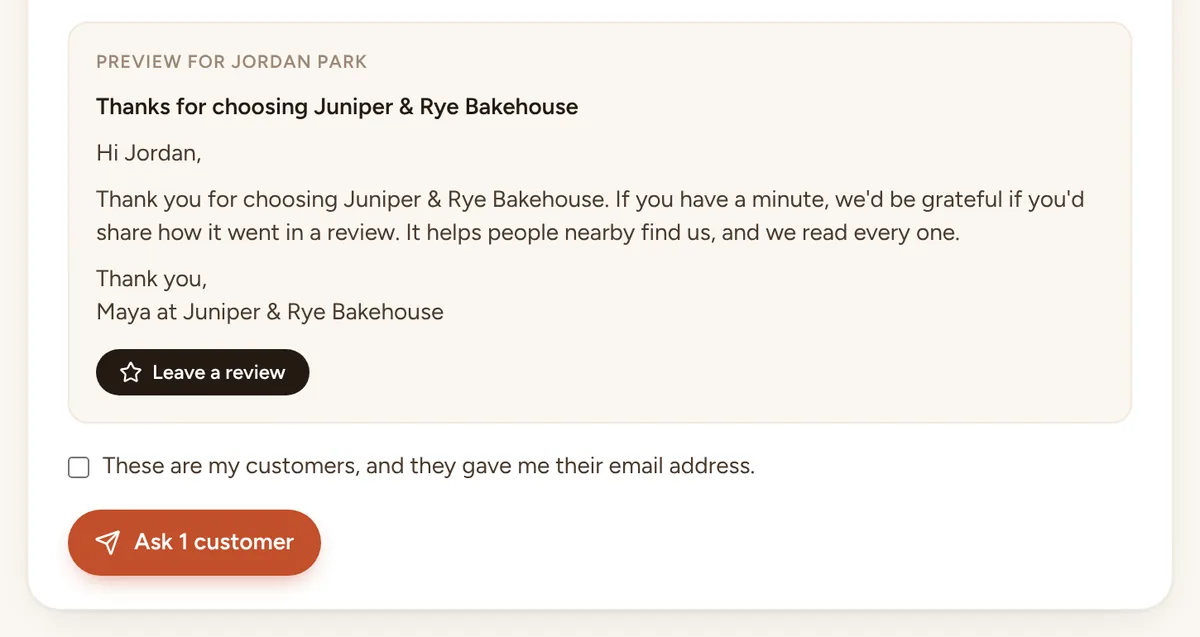
- Paste your customers, one per line, and each gets a short thank-you from your business
- A button to your review page: paste your Google review link once
- Everyone gets the same message and nothing is offered in return, the way Google asks
- Nobody asked twice in 90 days, and a “Don't ask me again” link in every email
- See who opened your review page from the email
Beyond social
Newsletter, ads and a helper to ask.
Newsletter to your own list
Ad copy
Teach Townlight
Ask Townlight
Writes with Claude, by Anthropic. Running Townlight yourself without an AI key? A built-in demo writer still works, so you can try everything first.
See it with your own business.
Start the free trial, add your business details and a few photos, and see your first week of posts the same afternoon. Nothing goes out until you say yes.