










How it works
Set it up over coffee. Then posting takes minutes.
Townlight works the way a small business does: the owner knows the story, the team sees what's happening every day, and nobody has time to be a marketing department. Here's the whole thing, start to finish.
Once, about an hour
Tell Townlight about your business.
Everything it writes comes from here, so a little time up front means posts that get your prices, hours and people right from day one.
Step 1: Your business profile
Name, kind of business, address, hours and your booking or order link. Every post is checked against it, so the hours in a post are always your real hours.Step 2: Products & services
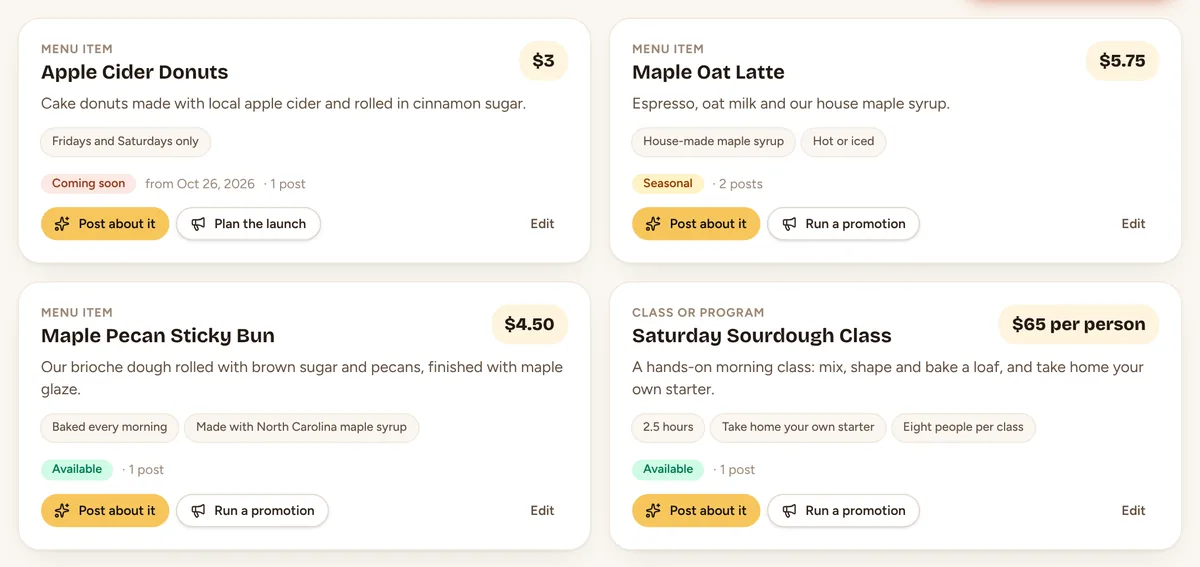
What you sell, with prices and what makes each one good. Mark things as seasonal or coming soon and Townlight plans around them.Step 3: Your team
Names, roles, specialties and a fun fact or two, plus a photo. Team spotlights only ever use what's here.Step 4: Your look and voice
A look for your posts, with your logo, colors and fonts. How you sound, words you love, words you never use, and the hashtags you like.Step 5: Your review link
Paste your Google review link (in your Business Profile, under Ask for reviews) and review requests are ready. Posting straight to Facebook, Instagram and Google is coming; until then you post each one yourself in a minute.Step 6: Teach Townlight (optional)
Add your menu, FAQs, your story or pages from your website. Townlight uses them as reference when it writes, and never takes instructions from them.
Every day, about five minutes
From “oh, we should post that” to posted.
Step 1: Open Today
A greeting, a “Next up” idea, and the next seven days of posts, events and holidays. On a quiet day you get ideas made for your kind of business. With Autopilot on, next week is already written every Friday, waiting for your OK.Step 2: Write a post
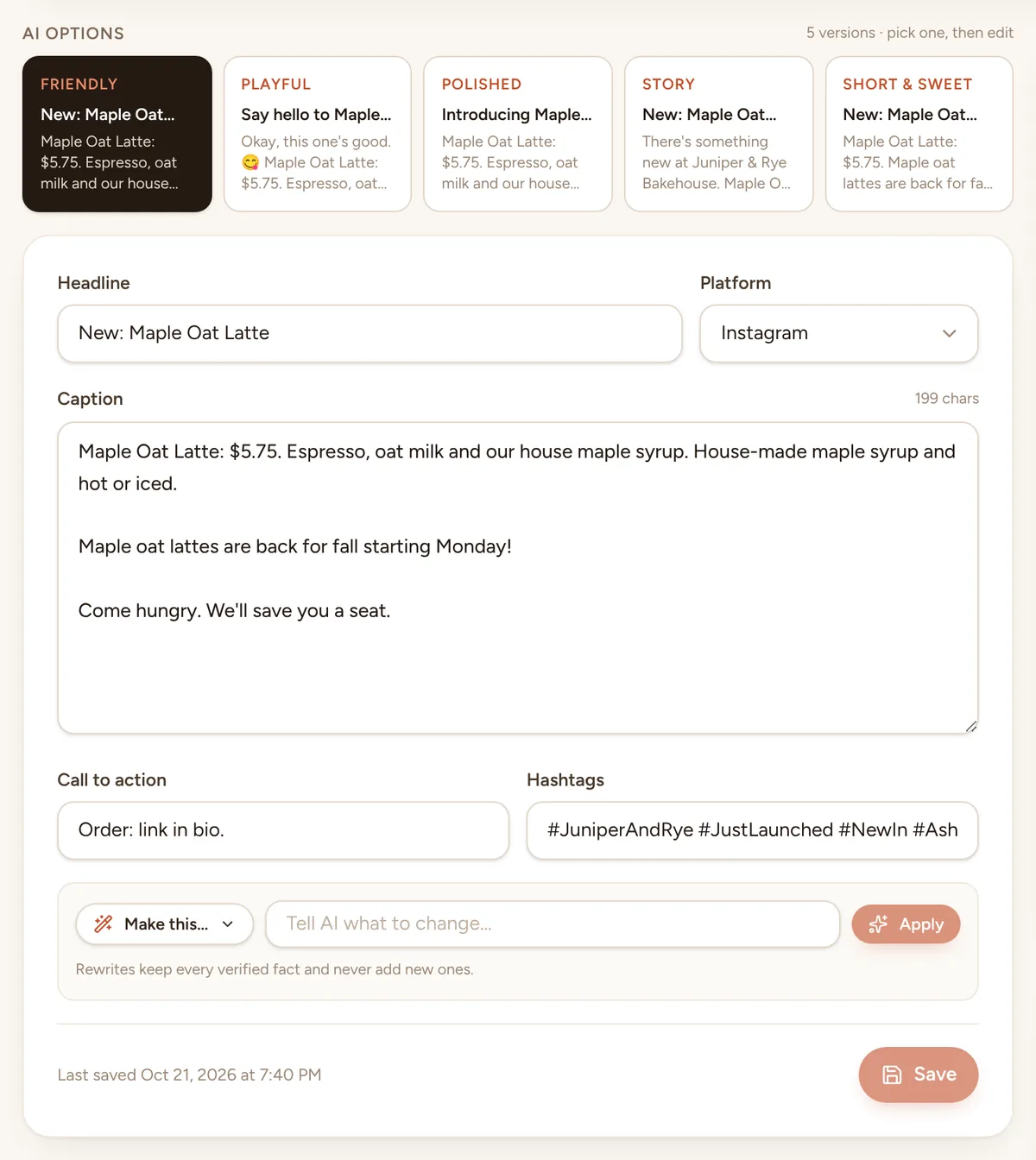
Pick a post type, type a sentence, add a photo. Team members can send these in from their phones, too.Step 3: Pick a version
Five versions every time: Friendly, Playful, Polished, Story, and Short & sweet. “Make this…” rewrites it shorter, warmer, more playful, more local, with emoji or with a stronger call to action.Step 4: Let the brand check do its thing
It scores the post on your voice, words to avoid, hashtags, length, logo and business name, and flags numbers or claims your records don't support. Some fixes it makes for you.Step 5: Approve and schedule
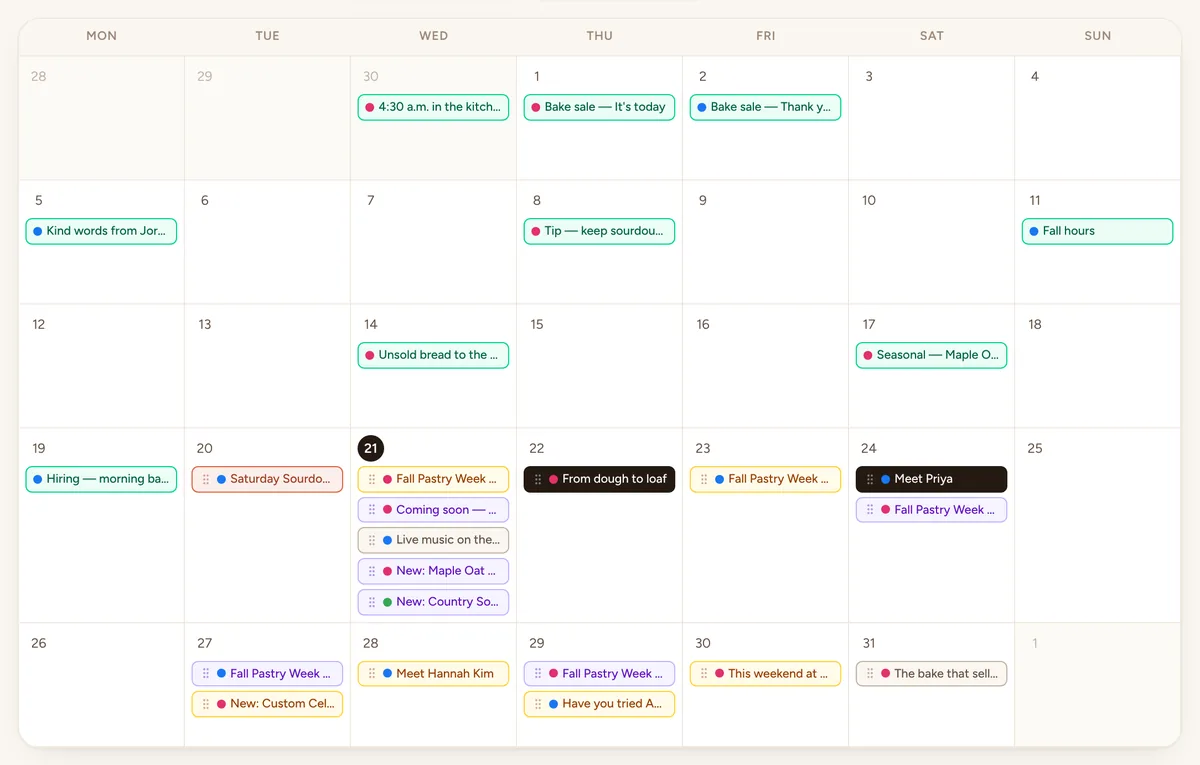
Drop it on the calendar. At the time you picked Townlight emails you: download the picture, copy the caption, post it and tap “I posted it”. Plans changed? Drag it to another day.Step 6: Ask for reviews
After a busy weekend, paste in the customers you served. Each gets a short thank-you from your business with a button to your review page, and nobody is asked twice in 90 days.Step 7: See what's working
Insights show what you've posted, which kinds and which days, and a marketing health score tells you what to try next. Reach and likes join in with direct posting.
Under the hood
Where every word comes from.
Each time Townlight writes, it stacks its instructions in the same order, so the safety rules always win and nothing you upload can rewrite them. Anything that isn't in these layers stays general or gets left out.
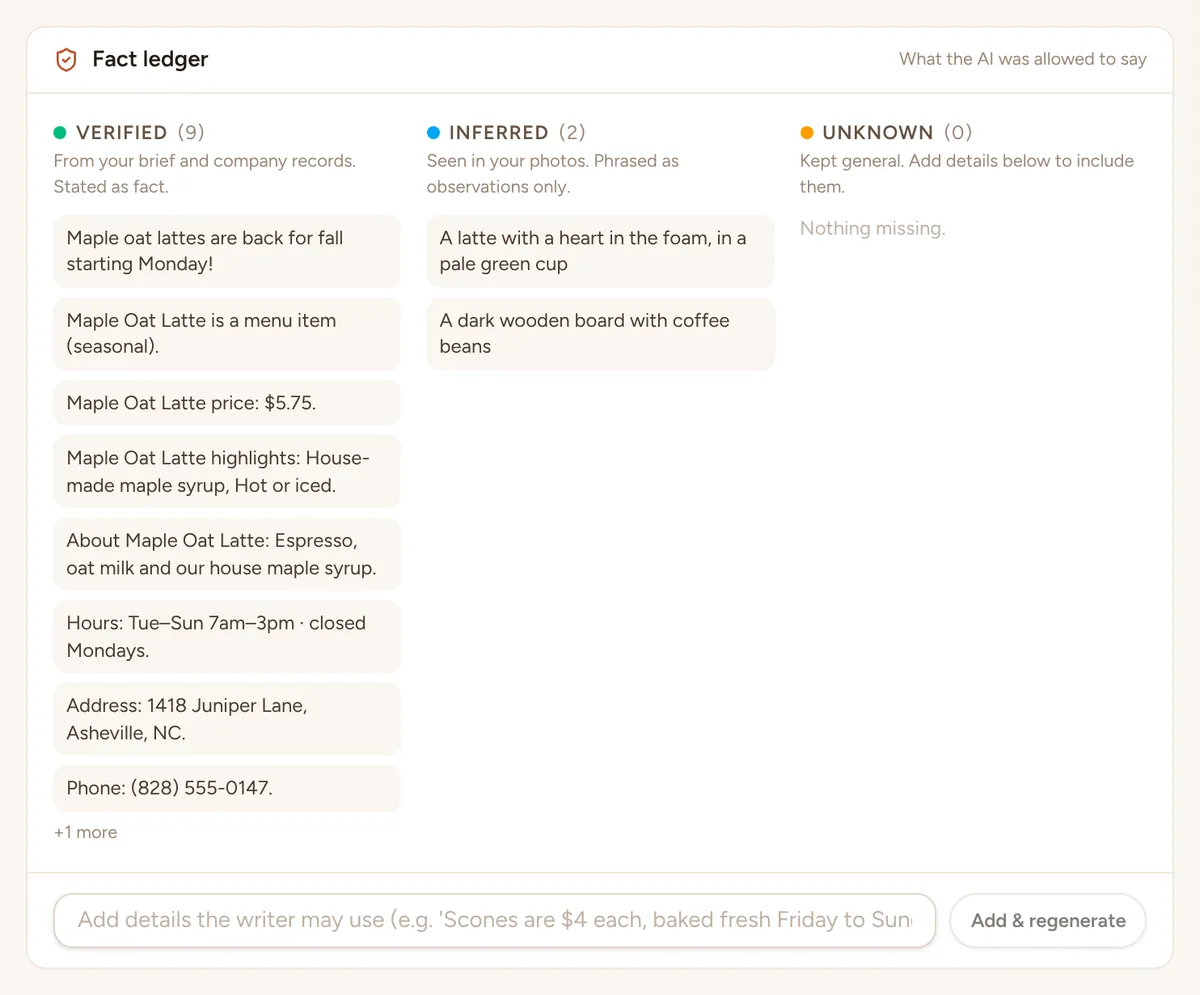
- Every draft keeps a list of the facts it used and where each one came from
- Unknown details are left out, never guessed
- The brand check runs before you approve, not after
- Safety rulesNever invent facts, never post without approval. Nothing below can override these.
- Your kind of businessExtra care for your trade: no allergy claims for a bakery, no promised results for a salon, no “licensed” for a plumber unless you said so.
- Your brandVoice, words to use and avoid, hashtags.
- What you taught itYour menu, FAQs, story and website pages, as reference only.
- Your teamRoles, specialties and fun facts from their profiles.
- The product, service or eventPrices, dates, details and hosts exactly as you entered them.
- What you typedYour sentence and the photo you added.
Who does what
Your team helps. You decide.
Anyone on the team can send in photos and ideas for free. Only the people you choose can approve and publish.
- Free on every plan
Team member
Send in photos and ideas, and see their own drafts plus everything approved.
Can't: Approve or publish.
- Uses a seat
Editor
Write and edit posts, run brand checks, manage photos and templates.
Can't: Approve or publish.
- Uses a seat
Manager
Everything an editor does, plus approve, schedule, publish and build campaigns.
Can't: Manage people or billing.
- Uses a seat
Owner / admin
Everything, including the team, roles, connected accounts and your plan.
Can't: See any other business's data.
Before you approve, it checks itself.
Every post gets a brand check score. Words you never use get swapped out, and a claim like “best in town” gets flagged unless your records back it up.
Browse every feature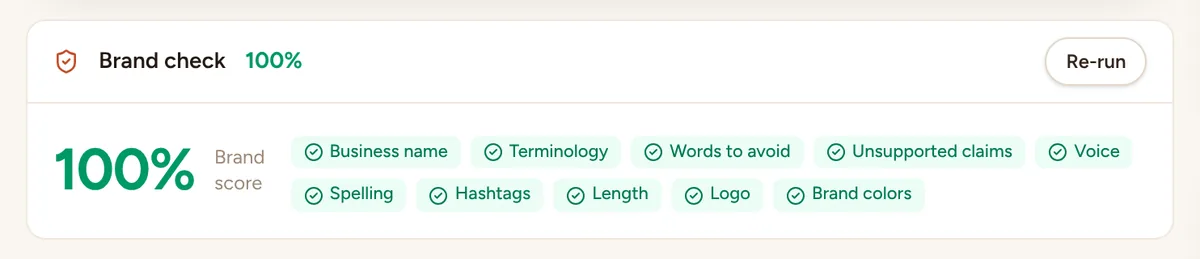
Leave the light on.
Start the free trial, add your business details and a few photos, and see your first week of posts the same afternoon. Nothing goes out until you say yes.